Every card can show any mix of information about the post, in the order you choose. The first item becomes the bold first line (usually the title); everything after it forms the second line.
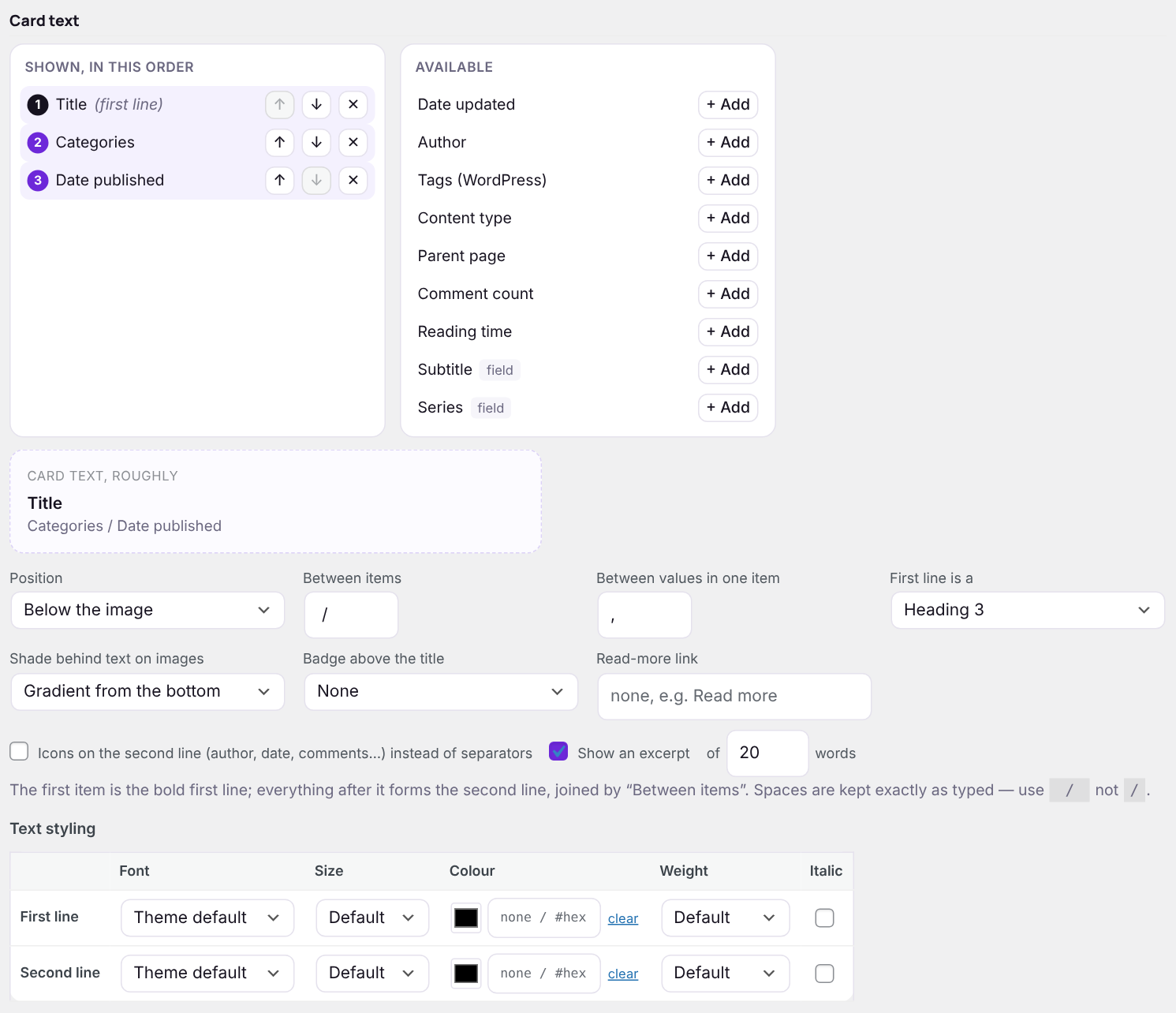
Choosing what each card says
The left column, Shown, in this order, is what the card displays. Use the arrows to reorder and ✕ to remove. The right column, Available, lists everything you can add — click + Add. The box underneath shows roughly how the text will read.
| Item | Shows |
|---|---|
| Title | The post or page title, linked to it. |
| Date published / Date updated | In your site’s date format (Settings → General). |
| Author | The author’s display name. |
| Categories / Tags (WordPress) | All of them, joined by the “between values” separator. “Uncategorized” is left off. |
| Content type | Post, Page, or a custom type’s name. |
| Parent page | The title of the page above this one. |
| Comment count | “3 comments” — or just the number beside an icon. |
| Reading time | “4 min read”, at 220 words a minute. |
| Other taxonomies | Any public taxonomy on your content types, such as a portfolio type or product category. |
| Your custom fields | Every field with Card ticked under Custom fields. |
Where the text goes
| Position | Result |
|---|---|
| Below the image | The classic card. |
| Above the image | Headline first, image underneath. |
| Over the image | White text on the photo, with a larger headline. Long titles on narrow cards make the card taller rather than spilling over. |
| Over the image, on hover | The photo alone until a visitor points at it. On phones and tablets the text is always shown. |
| No text | Images only. |
More card text settings
| Setting | What it does |
|---|---|
| Between items / Between values in one item | Separators for the second line, e.g. / and , give “Pets / May 30, 2026 / Photo, Screenshot”. Spaces are kept exactly as typed. |
| First line is a | Heading 2, 3 or 4, or a paragraph — pick what fits the headings on your page for good SEO and accessibility. |
| Shade behind text on images | For text over the image: a gradient from the bottom, darken the whole image, or none (a soft text shadow only). |
| Badge above the title | The first category, tag, taxonomy term or tags-field value as a small label above the headline. White on photos, dark elsewhere. |
| Read-more link | Leave blank for none, or type a label such as “Read more” or “Continue reading”. |
| Icons on the second line | Small icons for author, date, comments, reading time and categories instead of separators. |
| Show an excerpt | The post’s excerpt, or the start of its content, trimmed to the number of words you set (5–100). |
Pro: With Pro, Text styling sets the font, size, colour, weight and italics of each line, and Hover adds an effect when visitors point at a card: zoom in, zoom out, tint, black & white, colour on hover or lift, each with a strength and speed.
Next: Sliders and carousels